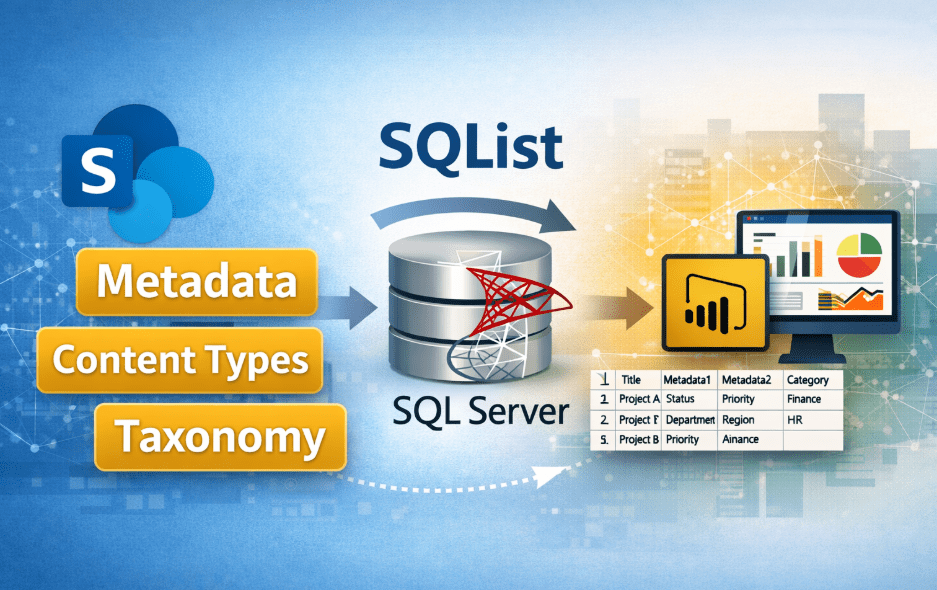
What a single source of truth means for SharePoint data
A single source of truth (SSOT) is a canonical data repository that provides a consistent, authoritative view of information for reporting and decision making. In the context of SharePoint this usually means creating a separate, queryable store that faithfully represents important list content and document metadata so reports and downstream systems can rely on a stable schema and consistent values.
Read the original article at Why SharePoint Is Not a Reporting Database — And What to Do Instead.
SharePoint lists are excellent for collaboration and capture: business users add items, attach documents and rely on the platform’s security and workflows. But the native list storage model is not optimised for cross-list reporting, complex joins or high-volume analytical queries. Relying on ad-hoc exports, spreadsheets or multiple copies of the same data introduces duplication, versioning ambiguity and audit challenges.
Risks of duplicated and manually exported data
Manual exports create fractures in data governance. Common problems include:
- Multiple inconsistent copies of the same record maintained in spreadsheets.
- Stale reports because exports are not automated or frequent enough.
- Human error during copy/paste or CSV transformations.
- Loss of provenance: it becomes hard to tell which copy is authoritative.
These issues increase operational risk and reduce trust in reported numbers. They also complicate auditing: when auditors or regulators request evidence, organisations must show where a value originated and how it was transformed. Manually managed pipelines make that traceability expensive and error prone.
Separate operational systems from analytical systems
Operational systems are the source-of-entry applications where users create or update data; in this scenario, SharePoint lists and document libraries are the operational layer. Analytical systems are optimised for reporting, complex queries and integrations—typically a relational database such as SQL Server, a data warehouse, or a cloud analytics service.
Separating these concerns reduces risk to daily users: reporting queries and heavy aggregations run against the analytical layer and do not impact SharePoint performance. It also means the analytical schema can be modelled for queries rather than for flexible content storage, enabling relational joins, indexed lookups and standardised column types.
Designing a read-only reporting layer without impacting users
A read-only reporting layer is a replica of selected SharePoint data held in SQL Server (or another analytics store) where BI tools and downstream systems run queries. Key design principles:
- Read-only from the reporting system’s point of view: all writes occur in SharePoint.
- Controlled, documented schema mapping so each SharePoint column is represented with a clear type in SQL.
- Retention of identifiers and timestamps to support reconciliation and auditing.
- Indexes and views tailored to reporting queries to deliver predictable performance.
For many organisations, this design is the foundation for reliable dashboards and regulatory reporting. Practical reporting tools such as Power BI can then connect to the SQL layer. For scenarios where near real-time latency is needed, consider DirectQuery: it leaves the data in the source or analytical database and issues queries at report runtime—an approach discussed in detail in “Why DirectQuery is often the better choice for Power BI reports”.
Automated synchronisation: governance and auditability
Automated synchronisation means a repeatable, logged process that transfers changes from SharePoint to the reporting database. Define what constitutes a change (creates, updates, deletes) and capture metadata such as who made the change and when. Automation offers several governance benefits:
- Consistency: records are updated in a predictable way rather than by ad-hoc human intervention.
- Traceability: logs record each synchronisation action, supporting audit trails and reconciliation.
- Security: a controlled service account can be used for replication, avoiding widespread distribution of elevated credentials.
- Repeatability: deployment and recovery processes can be scripted, reducing operational risk.
When synchronisation preserves original identifiers and timestamps, it becomes straightforward to prove that a report value corresponds to a particular list item and version. This capability matters for internal control frameworks and external compliance.
Practical example: SharePoint lists to SQL Server for regulatory reporting
Imagine an organisation that captures safety inspections in multiple SharePoint lists. Inspectors use mobile devices to submit findings; managers need consolidated weekly reports and historical trending.
- Identify the authoritative fields required for reports (inspection ID, location, severity, inspector, timestamps).
- Design a SQL schema with appropriate types, foreign keys and indexes to support aggregation.
- Deploy an automated synchronisation process that incrementally replicates new and changed items into SQL and records the replication log.
- Expose the SQL layer to Power BI or a reporting service using DirectQuery or scheduled refresh depending on latency needs.
This pattern prevents heavy reporting queries from affecting SharePoint responsiveness and provides a single, auditable dataset for managers and auditors alike.
Tools and techniques
There are several approaches to exporting SharePoint data to SQL Server, each with trade-offs. For a practical comparison of options and when to choose them, see “Exporting SharePoint data to SQL Server: options, trade‑offs and when to choose each approach”.
For organisations evaluating BI front ends, a useful survey is “Popular BI and reporting tools — strengths, weaknesses and using them with live SharePoint data”, which explains how tool choice affects architecture decisions such as whether to favour live queries or scheduled imports.
For many on-premises scenarios, synchronisation tools that produce a reliable representation of SharePoint lists in SQL Server are the pragmatic choice. AxioWorks’s SQList is one example of a purpose-built synchronisation product that aims to make this replication predictable and manageable; read more in “Why use SQList: practical advantages of bringing SharePoint list data into SQL Server” and at the product page.
Further guidance on integrating SharePoint data with line‑of‑business systems is available in Integrating SharePoint data with line‑of‑business systems: a practical guide to a unified SQL Server repository.
When this approach is appropriate and who it’s intended for
This SSOT approach suits organisations that:
- Use SharePoint as a primary operational system for lists and document metadata.
- Need reliable, repeatable reporting, regulatory compliance or integration with line‑of‑business systems.
- Require audit trails and data provenance for reported figures.
- Prefer to offload heavy analytical queries from production SharePoint servers.
It is less appropriate for scenarios that require real-time transactional writes from analytics back into SharePoint, or for trivial reporting needs where small, infrequent Excel exports are sufficient. For BI teams, database administrators and IT architects responsible for governance and integration, this model provides a clear separation of concerns and predictable operational characteristics.
Benefits recap
- Improved trust: a single, authoritative dataset reduces disputes over which numbers are correct.
- Better performance: reporting workloads are isolated from operational SharePoint traffic.
- Stronger governance: automated replication and logging support audit and compliance needs.
- Integration-ready: relational data is straightforward to join with CRM, ERP or other LOB systems.
Final considerations
Planning a single source of truth is as much about process and governance as it is about technology. Start with a clear inventory of the data owners, required fields and reporting SLAs. Pilot the synchronisation and validate that reconciliation and audit logs meet business requirements before wide rollout. With a well-designed read-only reporting layer and automated replication, organisations can unlock reliable reporting from SharePoint data while keeping day‑to‑day collaboration workflows intact.
#sharepoint #sqlserver #dataintegration #reporting #businessintelligence #datagovernance