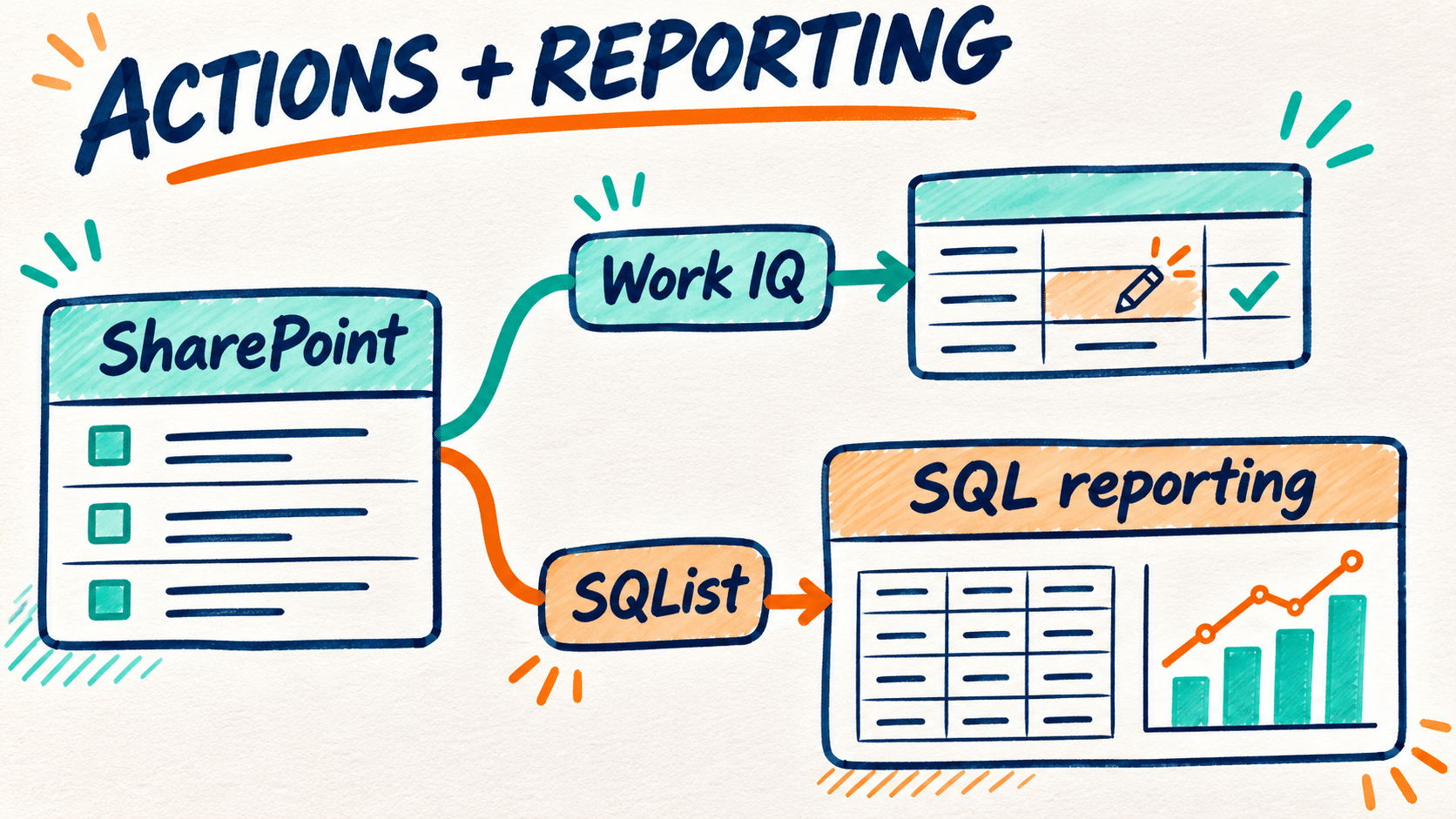
Microsoft announced the public preview of SharePoint tools in Work IQ on 3 November 2026 and highlighted it again at Ignite. The preview exposes more than 60 SharePoint operations through the Work IQ MCP interface, including discovering list schemas, querying lists, and creating, updating or deleting items.
For a team using SharePoint as an operational system, that opens up useful agent scenarios. It also raises an architecture question: if an agent can work directly with a list, where does a replicated SQL reporting layer fit?
Start with the work you need to do. Completing a task against an operational list and producing a recurring business report have different requirements, even when they use the same records.
What the preview makes possible
An agent could help maintain a tracker, inspect its columns, find relevant records or update an item as part of an approved workflow. The tools include list queries and batch changes; they are not limited to searching documents. Microsoft describes the broader capabilities and preview status in its SharePoint Tools for Work IQ documentation.
Access depends on configuration. The documentation distinguishes WorkIQ.Read for reading from WorkIQ.Act for changes, with Act also providing read access. The signed-in user’s SharePoint permissions and tenant policies still apply. For a pilot, review the permitted operations and test with the identities that will actually use the agent.
Microsoft’s launch announcement describes consumption billing through Copilot Credits, independently of Microsoft 365 Copilot licensing. Check the current billing and administration requirements alongside the functional trial. Availability and cost should be evaluated for the intended workload.
Write down the reporting question separately
Suppose an agent helps a service team assign a request to a new owner. The team also needs a weekly portfolio report combining requests from several sites with customer classifications held in another business system.
The report needs agreed definitions for open and closed work, a consistent customer mapping, a documented audience, and a way to compare periods. A working item-update tool does not define those rules. Equally, an existing SQL report does not by itself provide an agent with permission to change SharePoint records.
Our suggested evaluation starts with three separate requirements:
| Requirement | Evidence to check |
|---|---|
| Complete an operational task | The intended records are found, the correct action is performed, and access restrictions are respected. |
| Publish a recurring report | Measures, joins, filters, source scope and refresh behaviour produce consistent results that the business can explain. |
| Report a past position | The design retains the data needed for that period rather than assuming today’s records describe the past. |
These are requirements to test, rather than claims that agents cannot calculate totals or query substantial lists. The question is whether your chosen design meets the whole reporting contract.
Where SQList provides a useful SQL source
AxioWorks SQList continuously replicates SharePoint lists and libraries into SQL Server tables. It can consolidate data from multiple SharePoint sites into a database, providing a relational source for reporting views, Power BI models and downstream integration.
For a team already building its reporting and business-system joins in SQL Server, this gives the reporting work a defined source. The team can maintain shared mappings and reporting rules in its own SQL layer while users continue working in SharePoint. SQList supplies the replication stage; the reporting team remains responsible for the model, measures and access design.
Microsoft’s Power BI star-schema guidance explains why the meaning and granularity of fact rows matter. Those decisions still need attention when the source records are easy to reach through an agent tool.
Plan for changes to appear in both paths
If an approved agent action updates SharePoint, verify the saved source value first. Then check when that value reaches the replicated SQL table, the reporting view and the final model. Measure the stages separately so the team can investigate a delayed report without assuming the original action failed.
History needs a separate decision too. Our guide to weekly SharePoint backlog snapshots in SQL Server shows one way to retain the positions needed for a trend report. Current list access and current replication do not establish what was captured at a previous reporting cut-off.
For more context on the SharePoint features that users may already be adopting, see our Copilot in SharePoint guide for site owners.
Evaluate an actual workflow and report
Choose one representative list operation and one recurring reporting question. Establish their expected results, then check the source records, permissions, joins, measures and observed timings. Include an item from another site and a record the intended user should not be able to access.
Where a direct tool-based approach meets the need, there may be no reason to introduce another reporting source for that task. Where the requirement includes an existing SQL reporting estate, repeated cross-site analysis or integration with other SQL data, request a free SQList evaluation and test the reporting path against the same acceptance criteria.
This is a design using complementary approaches, not an announcement of a SQList–Work IQ integration. SharePoint tools provide agent operations; SQList can provide the replicated SQL source for a separately designed reporting workload.
Preview status, Microsoft documentation and AxioWorks product information checked on 24 November 2026. The scenario and evaluation checklist are AxioWorks design recommendations.