-

Why use SQList: practical advantages of bringing SharePoint list data into SQL Server
What SQList does SQList from AxioWorks is a purpose-built solution that synchronises SharePoint list data with a SQL Server database. By creating a reliable, queryable representation of list content in SQL, SQList removes many of the limits and performance constraints that can hinder reporting, integration and large-scale data workflows on SharePoint. This approach is particularly…
-

Making on‑premises data work harder: three practical integration scenarios for SMEs
Introduction Many small and medium-sized enterprises appreciate the strategic advantages of cloud platforms, yet financial, regulatory or functional constraints often mean migration cannot happen immediately. Organisations with existing on-premises infrastructure still have valuable systems—accounting, collaboration, email and line-of-business applications—that generate important data. Bringing that data together into a single, queryable SQL Server database turns dispersed…
-

The quiet power of writing tools: a personal reflection on content in the modern era
By Francesco Marcolini, AxioWorks CEO Rethinking content creation in the modern era People say that using automated writing tools to generate content is not good. Why? I actually think it is a good thing, and those who argue otherwise are often concerned about job security. Automated writing tools have become surprisingly capable at producing coherent,…
-

Migrating from InfoPath — Why Now Is the Time to Switch to Form Migrator
For many organisations, Microsoft InfoPath has long been the backbone for building and deploying forms within SharePoint. But with InfoPath officially deprecated, continuing to rely on it poses growing risks. This article explains why migrating sooner rather than later is essential, what is at stake, and how Form Migrator helps organisations move safely to modern…
-

Integrate SharePoint Lists with Your LOB Systems — Unlock the Power of SQList
Introduction In today’s data-driven business environment, having access to accurate, up-to-date information across systems can make a tangible difference to how organisations operate. If your organisation uses Microsoft SharePoint to manage lists, libraries or documents, but also relies on line-of-business (LOB) systems and SQL databases for reporting, CRM, ERP or analytics, keeping everything aligned can…
-

Unlock the Power of Your SharePoint Data with SQList
In many organisations, SharePoint is an essential tool for managing lists, libraries and documents. Yet when it comes to reporting, analytics or integration with line-of-business systems, SharePoint’s native list storage often proves limiting — especially for large or complex datasets. Enter SQList from AxioWorks: a simple yet powerful server-side tool designed to export and synchronise…
-

Unlock Live Reporting with SharePoint and Power BI Using SQList
If your organisation uses SharePoint to manage lists or document libraries — but you find it frustrating to build and refresh meaningful reports — there is a smarter, faster way. With SQList from AxioWorks, you can turn SharePoint data into fully synchronised SQL Server tables, enabling real-time analysis with Power BI (or any other BI…
-
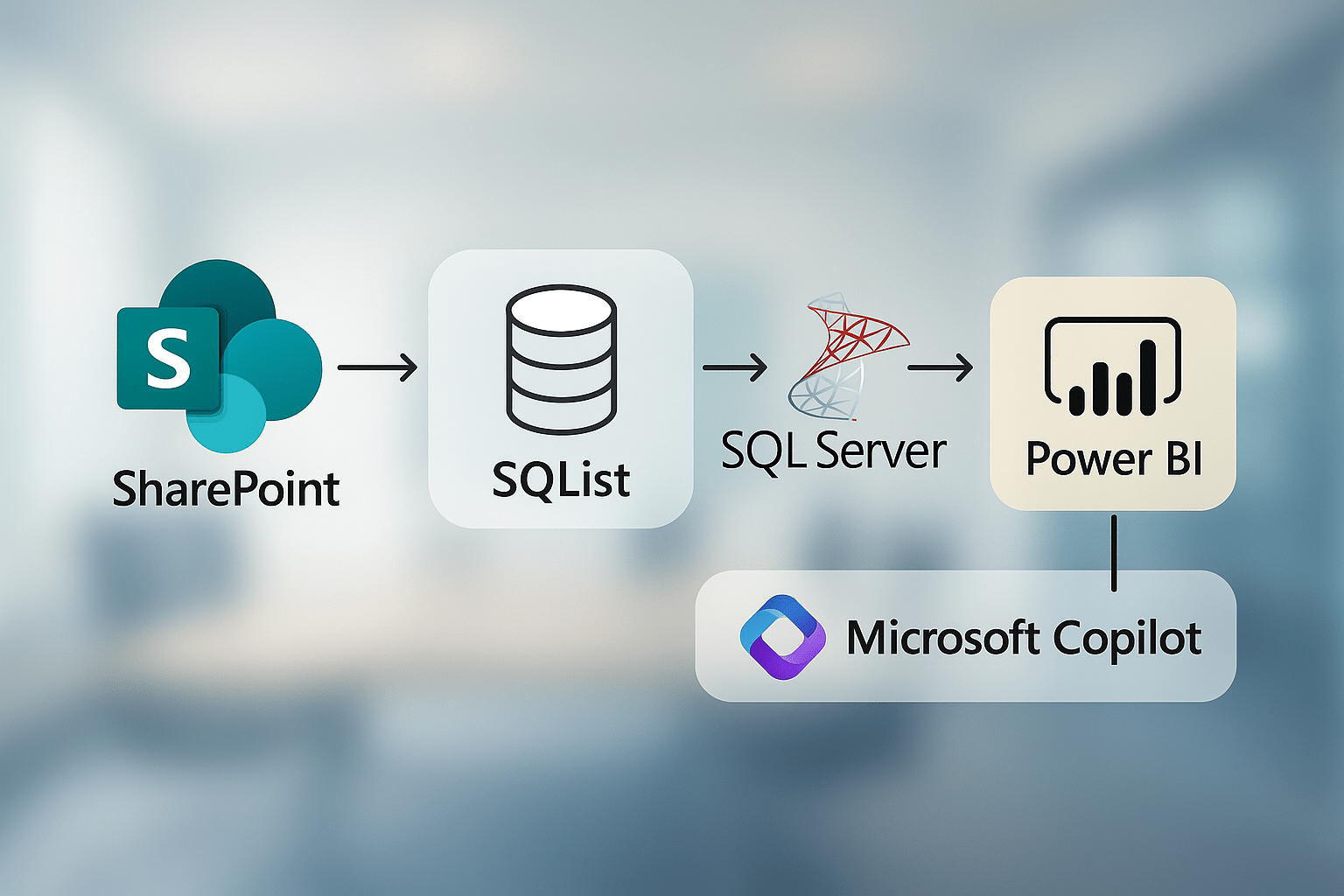
Smarter SharePoint Reporting: Real-Time Insights with SQL Integration and AI-Powered Analytics
Many organisations rely on SharePoint to manage business-critical data, but when it comes to reporting, its limitations quickly become apparent. Performance thresholds, list view restrictions, and siloed site collections often stand in the way of timely insights. In this article, we explore how combining SQList, Power BI, and Microsoft Copilot can transform your SharePoint data…
-

Where SQList Fits in the Modern Data Stack
In the ever-evolving world of data architecture, the so-called “modern data stack” has transformed how businesses connect, analyse, and act on their data. Microsoft Fabric, Azure Synapse, Power BI – these are names that dominate the current landscape, offering speed, scale, and impressive integration capabilities. Yet, amidst all this innovation, one platform continues to sit…
-

Unlock Fast, Flexible SharePoint Analytics with SQList, Power BI and Microsoft Copilot
From scattered SharePoint lists to instant answers with AI and Power BI – discover how SQList makes complex reporting simple.

AxioWorks