Microsoft Fabric keeps making it easier to bring Microsoft 365 content into analytics. One example is OneLake shortcuts to SharePoint and OneDrive locations. Shortcuts are a great fit for many file-centric scenarios – but they do not magically turn SharePoint into a scalable reporting database for lists, libraries, and metadata-driven business data.
This article explains where shortcuts help, where they can still leave gaps for reporting and integration, and a pragmatic pattern that combines SQList (SharePoint to SQL Server synchronization) with Power BI and Fabric.
TL;DR
- OneLake shortcuts are excellent when you want analytics over files stored in SharePoint/OneDrive without copying them around.
- For SharePoint lists and library metadata (lookups, people fields, versioned metadata, joins, incremental calculations), a relational layer is often still the most reliable approach.
- SQList synchronizes SharePoint lists and libraries into SQL Server, giving you a stable reporting and integration surface for Power BI, SSRS, ETL, data quality checks, and downstream apps.
What OneLake shortcuts solve (and why they are popular)
Shortcuts aim to reduce friction when your organization stores content in SharePoint and OneDrive but wants it available for analytics in Fabric. Instead of building custom ingestion pipelines, you can reference data where it lives (or where it is exposed) and keep governance and access patterns consistent.
Fabric also continues to evolve around identity and access patterns for these shortcuts, which is a good sign: it highlights that Microsoft sees SharePoint and OneDrive as important sources for analytics workflows.
The catch: SharePoint is not a reporting database
Even with better analytics tooling, many teams hit the same wall: SharePoint lists are optimized for collaboration and app-style usage, not large-scale analytical querying. When you connect BI tools directly to SharePoint, common issues show up over time:
- Performance variability as lists grow and usage increases
- Fragile refresh behavior and throttling surprises
- Complex fields that do not model cleanly (lookups, people, multi-value data)
- Hard-to-govern transformations scattered across PBIX files
- Difficult joins across sites, lists, and related reference data
If you want a deeper dive on why this happens, these AxioWorks articles are a good starting point:
- The Hidden Cost of Using SharePoint as a Reporting Database
- Using SQL Server as a Reporting Layer for SharePoint Lists
A practical pattern: SharePoint for collaboration, SQL Server for reporting
The architecture that consistently scales is simple:
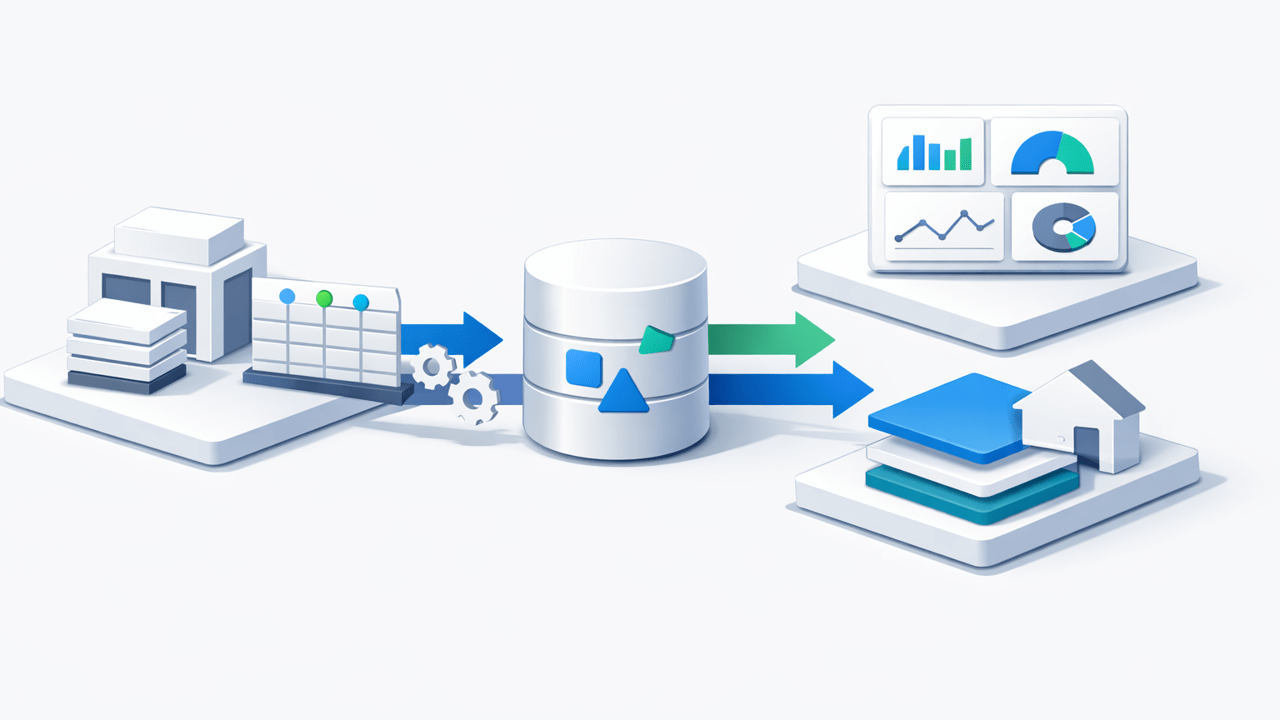
- Keep SharePoint as the operational system of record (UI, permissions, collaboration).
- Sync to SQL Server for reporting and integration workloads.
- Build a curated semantic layer (SQL views and/or a Power BI dataset) on top of the SQL copy.
SQList is AxioWorks’ flagship product for this job. It synchronizes SharePoint lists and libraries into SQL Server on a schedule, preserving the fields you need for reliable reporting while giving you the performance, governance, and query capabilities of SQL Server.
Two common scenarios where this pattern shines:
- Reporting on complex SharePoint fields: lookups, people fields, multi-value choices/tags. See: Reporting on SharePoint Complex Fields in SQL Server (with SQList)
- Document library metadata reporting: combining file metadata with reference data and business rules. See: SharePoint Document Library to SQL Server: A Practical Sync + Reporting Pattern (with SQList)
How this connects to Fabric and Power BI
You do not have to choose between Fabric and SQL Server. In many organizations, they work well together:
- Use OneLake shortcuts for the file side of SharePoint/OneDrive content when that fits your analytics use case.
- Use SQL Server (fed by SQList) as the structured reporting layer for lists and metadata-driven processes.
- Use Power BI to model business metrics on top of the SQL layer, with predictable refresh and better performance.
If your team is targeting near-real-time dashboards, this architecture is a solid baseline (and it avoids pushing SharePoint beyond what it is designed to do): From SharePoint Lists to Real-Time Insights: A Practical Architecture for Power BI
Implementation checklist (quick and practical)
- Inventory sources: which SharePoint lists/libraries drive reporting and integration?
- Define the reporting schema: decide which columns, lookups, and reference data need to be flattened or preserved.
- Sync with SQList: schedule synchronization into SQL Server.
- Build stable views: create SQL views for Power BI and downstream apps.
- Govern refresh: centralize transformations and keep PBIX files thinner.
Bottom line
OneLake shortcuts are a helpful piece of the Microsoft Fabric toolbox. But when the business problem is reliable reporting and integration over SharePoint lists and library metadata, a relational reporting layer is still the most dependable foundation.
If you want to keep SharePoint as the collaboration UI while unlocking SQL-grade reporting, SQList is built for exactly that.
#SQList #SharePoint #MicrosoftFabric #OneLake #SQLServer #PowerBI #DataIntegration #Reporting
Also relevant: for a Microsoft Lists-specific version of this architecture, see Microsoft Lists to SQL Server: The Reporting Architecture Power BI and Fabric Still Need (with SQList).