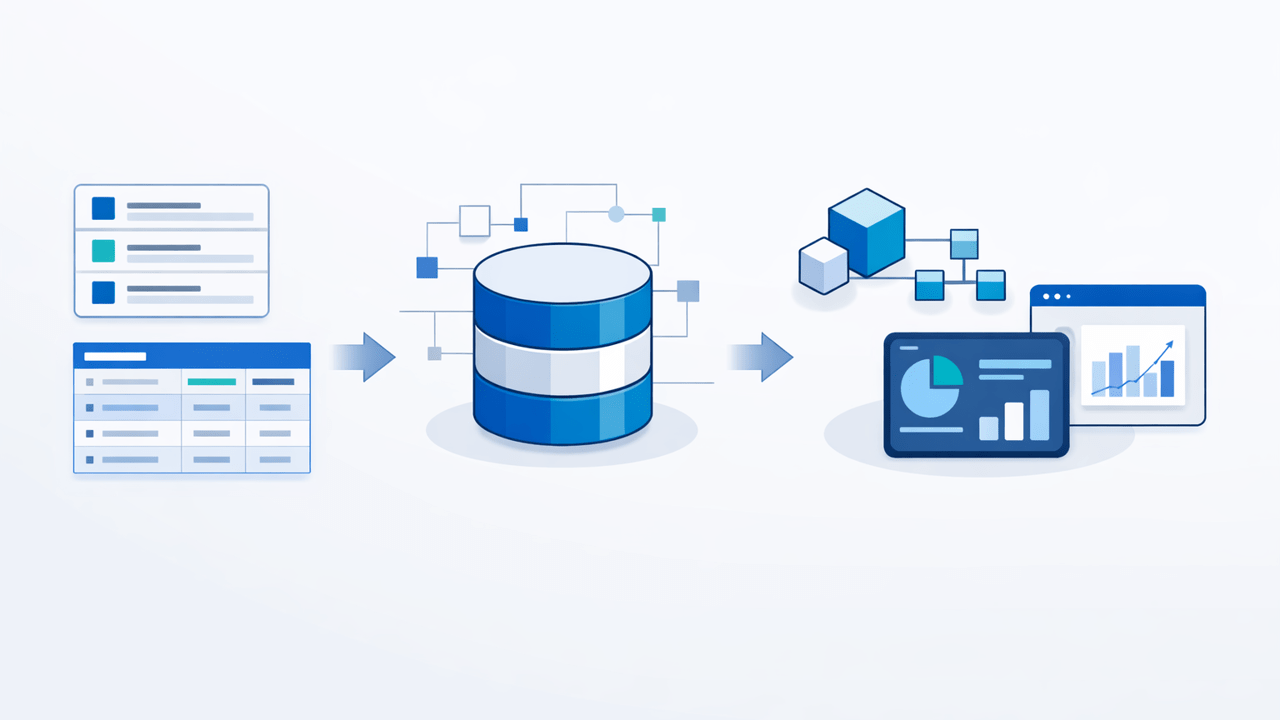
Microsoft’s June 2026 Power BI update put even more attention on semantic models, including Fabric Apps for Semantic Models in preview and more AI-assisted modelling workflows. At the same time, Microsoft Fabric keeps expanding governance, deployment, and SQL analytics capabilities. That is good news for analytics teams, but it also raises a practical architecture question: what happens when the operational data those models depend on still lives in SharePoint and Microsoft Lists?
For many organisations, the answer should not be “query SharePoint directly forever.” The stronger pattern is to keep SharePoint as the business-facing application layer, synchronise the data into SQL Server, and let Power BI, Microsoft Fabric, downstream integrations, and reporting workloads work from a cleaner relational copy. That is exactly where SQList fits.
Why this question matters more in 2026
Power BI and Fabric are steadily making semantic models more central to how teams build reports, apps, and governed data experiences. New capabilities around model-centric apps, improved authoring, and stronger governance all increase expectations for consistency, performance, and trust in the underlying data. If your source is a busy SharePoint list with lookups, people fields, attachments, permissions, and day-to-day edits, those expectations can clash with reality.
SharePoint and Microsoft Lists are excellent for capturing and managing operational business data. They are not designed to be the long-term analytical execution layer for every report, semantic model, refresh process, and integration. That gap becomes more visible as analytics tooling gets better.
What semantic models need that SharePoint often struggles to provide
A good semantic model needs more than access to the latest rows. It needs stable keys, predictable schemas, manageable refresh behaviour, and data structures that are easy to explain and govern. Direct connections to SharePoint lists often become awkward when teams need to:
- combine multiple lists into one reporting model
- flatten SharePoint complex fields into analysis-friendly structures
- support repeatable refreshes without brittle workarounds
- separate business-facing list design from analytics-facing model design
- reuse the same prepared dataset across Power BI, Fabric, SSRS, and custom SQL reporting
If that sounds familiar, it is the same pattern discussed in our article on why Power BI and SharePoint work well at first, then suddenly do not. Early success is common. Long-term scalability is the harder part.
Why SQL Server is still the right preparation layer
SQL Server remains one of the most practical places to prepare SharePoint data for analytics. It gives you a governed relational structure, better control over indexing and transformations, and a stable place for reporting tools to connect. It also lets you shape SharePoint data into model-friendly tables without forcing business users to change how they work day to day.
That preparation layer is valuable whether you are building classic SQL Server reports, Power BI semantic models, or newer Fabric-based solutions. If you need a broader architecture view, see why SQL Server works well as a reporting layer for SharePoint lists.
Where SQList adds the most value
SQList is AxioWorks’ flagship product for synchronising SharePoint lists and libraries with SQL Server. Instead of treating SharePoint as the place every reporting query must hit directly, SQList lets you keep SharePoint as the operational front end while maintaining a SQL Server copy that is easier to model, report on, and integrate with other systems.
That is especially useful when you need to prepare data for semantic models because SQList helps you establish a repeatable pattern:
- business users continue working in SharePoint and Microsoft Lists
- SQList synchronises that operational data into SQL Server
- SQL Server becomes the controlled preparation and reporting layer
- Power BI, Fabric, and other reporting tools consume the prepared SQL data
The result is a cleaner separation between operational collaboration and analytical consumption.
Complex SharePoint fields are often the real blocker
One of the biggest reasons semantic models become messy over SharePoint data is the presence of complex field types. Lookups, person fields, managed metadata, and multi-value fields are useful in SharePoint, but they rarely map neatly into a reporting model without preparation. That is one reason direct reporting solutions often become fragile.
We covered that in more detail in our guide to reporting on SharePoint complex fields in SQL Server. When those fields are normalised into SQL tables, semantic model design becomes much more straightforward.
Fabric makes governance more important, not less
Recent Microsoft Fabric updates continue to push governance, deployment discipline, and reusable model assets forward. That does not remove the need for a proper data preparation layer. In many SharePoint-heavy environments, it strengthens the case for one.
If you want to use semantic models across multiple reports, apps, and analytics surfaces, you need predictable source data. If you want CI/CD around SQL analytics endpoints and stronger governance in catalog experiences, you need structures that are easier to version, validate, and understand. SQL Server provides that structure. SQList helps you get SharePoint data there reliably.
A practical architecture pattern
For many teams, the most practical architecture now looks like this:
- Use SharePoint or Microsoft Lists as the operational application layer.
- Use SQList to synchronise lists and libraries into SQL Server.
- Prepare relational tables or views for reporting and semantic models.
- Build Power BI, Fabric, SSRS, or integration workloads on top of that SQL layer.
This approach reduces coupling between user-facing list design and analytics design. It also gives you more room to grow when reporting needs become more ambitious.
Final thought
Power BI and Microsoft Fabric are making model-centric analytics more capable every month. That trend does not make SharePoint a better analytical source system on its own. It makes data preparation more important. If your organisation relies on SharePoint or Microsoft Lists for operational data, synchronising that data into SQL Server with SQList is still one of the most practical ways to build trustworthy reporting and reusable semantic models.
If you are also evaluating newer Microsoft 365 and Fabric ingestion patterns, our article on OneLake shortcuts versus SQL-based reporting patterns is a useful companion read.
Related topics: #SQList #SharePoint #MicrosoftLists #SQLServer #PowerBI #MicrosoftFabric
Also relevant: if your concern is not just data preparation but how to keep downstream models stable when SharePoint list columns change, see SharePoint List Schema Changes: Keeping SQL Server Reporting and Fabric Models Stable with SQList.
For a related angle on Power BI model development, see Power BI TMDL View: Why SharePoint Reporting Still Needs a SQL Server Layer. It explains why model governance works best when SharePoint data is first synchronized into a predictable SQL Server reporting layer with SQList.
New angle: If you expect users to consume those Power BI outputs directly inside SharePoint Online, this newer article explains why easier embedding still depends on a stable SQL-backed data layer underneath: Power BI SharePoint Online Embedding in 2026: Why SQList Still Matters for SQL Server Reporting.